Quick Answer
A solar street light dimming profile controls how bright the light runs during different parts of the night. A common project profile may use high brightness during early evening traffic, lower output after midnight, and motion-triggered full brightness when pedestrians or vehicles are detected.
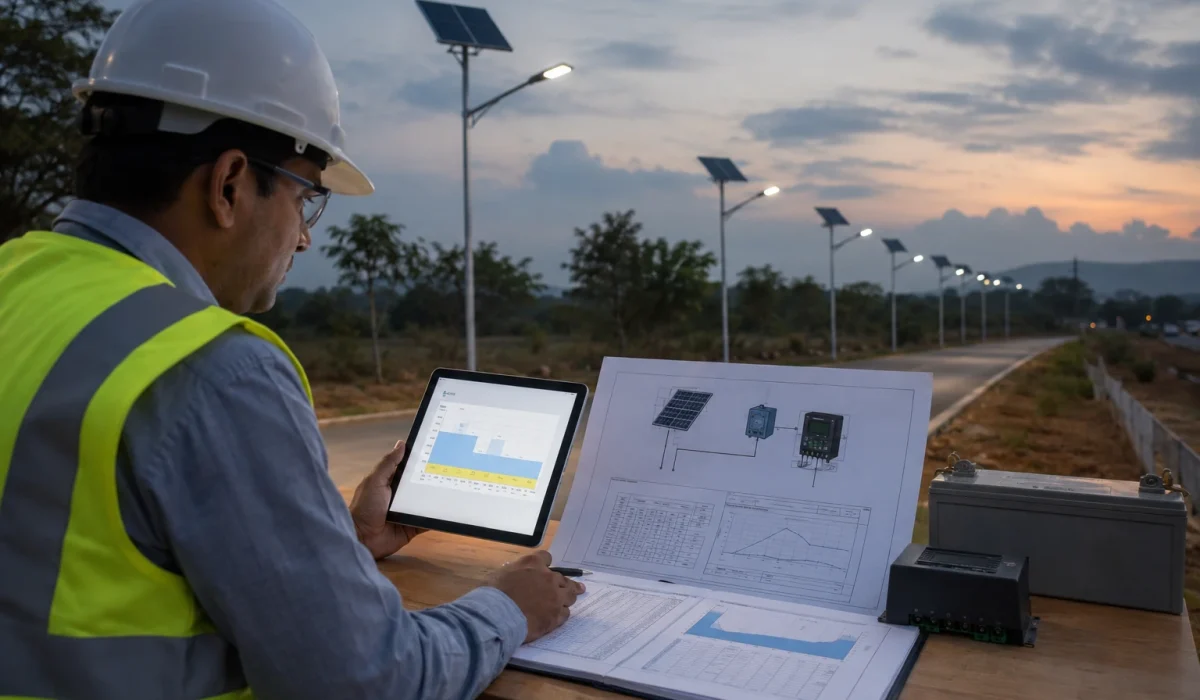
For EPC, municipal, and tender projects, the dimming profile is not only a brightness setting. It affects battery autonomy, night runtime, rainy-season reliability, PIR or radar sensor behavior, controller protection, and final handover quality.
The best profile should be reviewed together with LED wattage, operating hours, battery capacity, solar panel input, local sunlight conditions, autonomy days, road safety needs, and commissioning records. Random remote DIM changes should not replace an approved controller profile.
For basic remote buttons such as AUTO, Timer, Radar, and DIM, see Sunlurio’s guide to basic remote control setup steps. This article focuses on the project-level brightness schedule behind those settings.
Project Review Summary
| Item | Project Review Point |
|---|---|
| Main topic | Solar street light dimming profile and battery autonomy |
| Best-fit buyers | EPC contractors, municipal project teams, lighting consultants, project distributors, and tender buyers |
| Best-fit projects | Municipal roads, rural roads, campus roads, parking areas, industrial roads, security roads, and multi-pole solar lighting projects |
| Core search intent | How brightness schedules and controller profiles affect battery autonomy |
| Key decision factors | LED brightness level, operating hours, solar panel input, battery capacity, controller profile, PIR or radar motion logic, and rainy-season margin |
| Main risk if ignored | Short runtime, early shutdown, inconsistent brightness, battery stress, and handover complaints |
| Related setup guide | Remote control setup and DIM button explanation |
| Related commissioning guide | Solar street light commissioning checklist before project handover |
| Related testing guide | Ground-level test before pole installation |
What Is a Solar Street Light Dimming Profile?
A solar street light dimming profile is the controller schedule that defines how bright the lamp should be at different times of the night.
In simple terms, it answers this question:
How much light should the solar street light provide during each night period, and how much battery energy will that require?
A dimming profile may include:
- 100% brightness during early evening traffic.
- 70% or 60% brightness during normal road use.
- 50% or 30% brightness during low-traffic hours.
- Motion-triggered full brightness when people or vehicles pass.
- Standby brightness during late-night low activity.
- Low-voltage protection when the battery becomes too low.
For small installations, a user may adjust brightness with a remote control. For EPC, municipal, and multi-pole projects, the dimming profile should be planned before production, checked before installation, and recorded before handover.
A random DIM button adjustment is not the same as a project dimming profile.
Typical Solar Street Light Dimming Schedule by Night Period
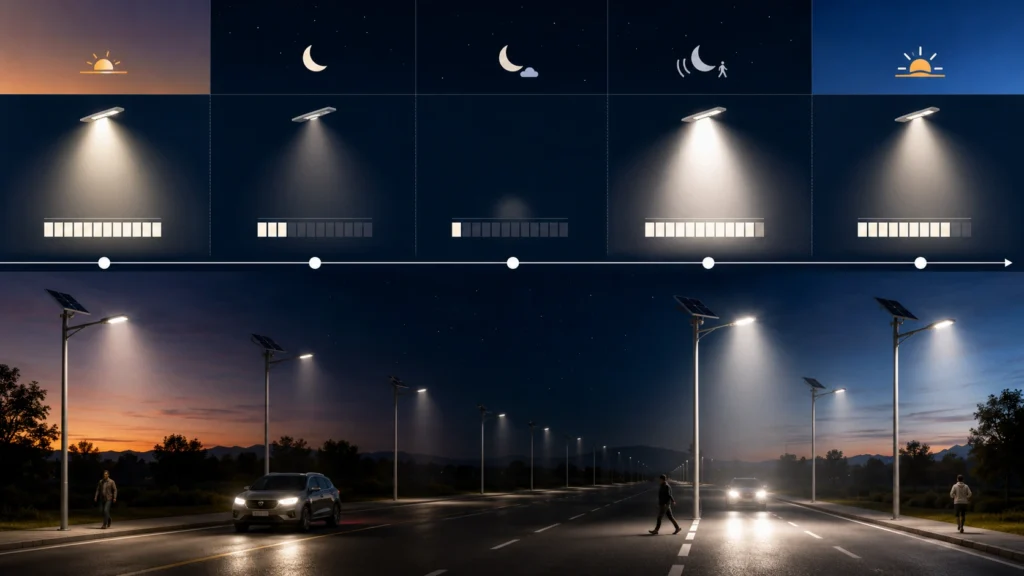
The following brightness ranges are not fixed standards. They are common review examples used to discuss how brightness demand changes during the night. The final profile should be checked against road type, lighting requirement, battery capacity, solar panel size, local sunlight condition, and rainy-season margin.
| Night Period | Common Brightness Range | Project Purpose | Review Notes |
|---|---|---|---|
| Dusk to first 3–4 hours | 80–100% | Covers evening traffic, pedestrians, and business activity | Check road class, target lux, pole spacing, and battery load |
| Middle of the night | 30–50% | Saves battery when activity is lower | Not suitable for every municipal or security road |
| Pre-dawn 1–2 hours | 60–100% | Supports early morning traffic or site activity | Should match local usage pattern |
| Low-traffic standby mode | 15–30% | Saves energy when motion sensor mode is used | Sensor trigger frequency must be considered |
| Motion boost mode | 80–100% | Increases brightness when people or vehicles are detected | Delay time, detection range, and false triggering should be tested |
For project buyers, the key question is not only “What percentage should the lamp use?”
The better question is:
Does this brightness schedule match the site’s real traffic, safety requirement, battery autonomy target, and handover responsibility?
Dimming Profile vs Brightness Setting vs Controller Profile
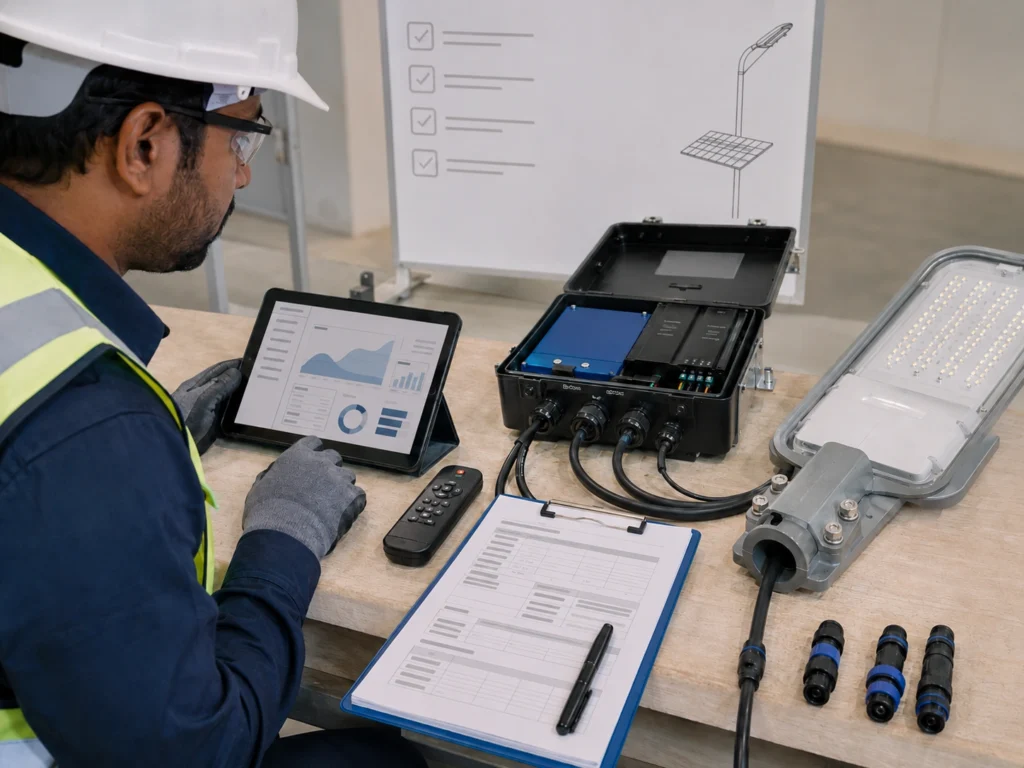
These terms are often mixed together, but they do not mean exactly the same thing.
| Term | Meaning | Project Risk If Misunderstood |
|---|---|---|
| Brightness setting | A single output level such as 100%, 70%, 50%, or 30% | The team may focus only on brightness and ignore battery consumption |
| Dimming profile | A full night schedule that changes brightness by time or motion | Wrong schedule can cause short runtime or dark zones |
| Controller profile | The programmed logic stored in the controller | Different profiles across poles can cause inconsistent operation |
| Remote DIM setting | A local brightness change made by remote control | Installers may leave different lamps in random modes |
| Motion-based dimming | Brightness changes when movement is detected | Frequent triggering may reduce expected energy saving |
For project-scale solar street lighting, the controller profile should be confirmed before delivery or installation. The remote can help with testing, but it should not replace a documented project profile.
Before final handover, the dimming profile should also be checked as part of the full solar street light commissioning checklist.
Why Brightness Settings Affect Battery Autonomy
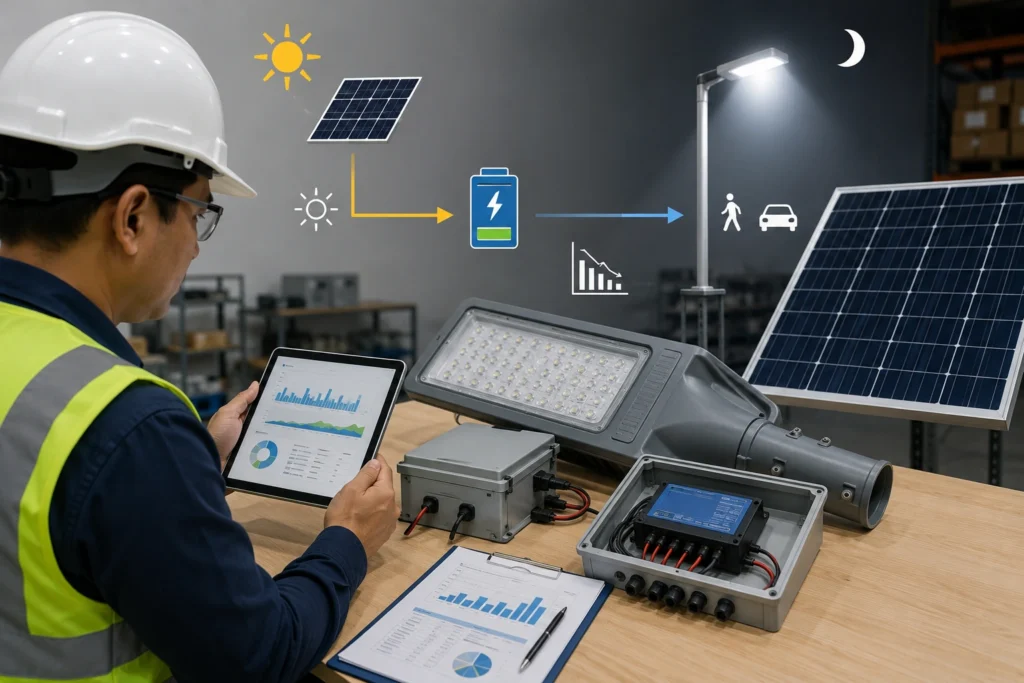
Brightness settings affect battery autonomy because LED output is one of the main loads on the solar street light system.
A solar street light is an energy balance system. During the day, the solar panel charges the battery. At night, the battery powers the LED module, controller, sensor, and any communication module. If the lamp runs at high brightness for too many hours, the battery discharges faster.
A simple first-review logic is:
Nightly LED energy use is roughly related to LED power, brightness percentage, and operating hours.
Higher brightness for longer hours usually means higher energy consumption.
For example:
| Setting Choice | Possible Result |
|---|---|
| 100% brightness all night | Strong visual effect, but high battery consumption |
| Very low brightness all night | Better autonomy, but may not meet lighting needs |
| Motion-only mode on a busy road | Frequent triggering may reduce energy saving |
| Random remote dimming by installers | Different poles may operate inconsistently |
| No rainy-season margin | Lights may shut down early after cloudy days |
This does not mean every project should use low brightness. Roads, intersections, security zones, industrial access roads, and public spaces still need enough lighting for safe use.
The goal is not to make the lamp dim. The goal is to match brightness with real project requirements while keeping the battery, solar panel, and controller profile within a safe operating range.
A detailed review should also consider:
- Battery watt-hour capacity.
- Battery depth of discharge setting.
- Controller efficiency.
- LED driver efficiency.
- Solar panel charging input.
- Local peak sun hours.
- Rainy-season reduction.
- Sensor trigger frequency.
- Low-voltage protection logic.
Can Solar Street Lights Run at 100% Brightness All Night?
Solar street lights can run at 100% brightness all night only if the system has been designed with enough battery capacity, solar panel input, controller margin, and local sunlight conditions to support that load.
For many projects, full brightness all night is not the best default choice. It may look better during a short demonstration, but it can increase battery discharge, reduce rainy-season margin, and trigger low-voltage protection earlier.
This is especially important for:
- Roads requiring long nightly operation.
- Projects with several cloudy or rainy days.
- Sites with panel shading or dust accumulation.
- Remote areas where maintenance access is difficult.
- Projects where battery autonomy is part of the tender requirement.
- Multi-pole projects where inconsistent shutdown times create complaints.
If a customer requests 100% brightness all night, the project team should confirm the required operating hours, autonomy days, battery capacity, solar panel size, and expected sunlight conditions before approving the profile.
For a broader explanation of night runtime, see Sunlurio’s guide to how long solar street lights last at night.
Common Dimming Profile Types
Different projects need different brightness schedules. There is no single best dimming profile for every solar street lighting project.
| Dimming Type | How It Works | Suitable For | Main Risk |
|---|---|---|---|
| Fixed time dimming | Brightness changes by time period | Roads, campuses, parking areas, industrial roads | Wrong schedule may not match real site use |
| Motion-based dimming | Light increases when movement is detected | Rural roads, low-traffic areas, pathways, security zones | Not ideal if traffic is continuous |
| Mixed profile | Uses fixed dimming plus motion boost | Roads with changing traffic levels | Requires careful controller setting |
| Full brightness all night | Lamp stays at high output | Special security areas or high-visibility zones | High battery consumption |
| Low background brightness | Lamp stays at reduced output | Low-traffic or energy-saving areas | May not meet visibility expectations |
For EPC and municipal projects, the dimming profile should not be selected only because it “saves power.” It should match the road type, traffic pattern, safety requirement, pole spacing, battery autonomy, and maintenance responsibility.
Example Brightness Schedules for Project Review
The examples below are starting points for project review, not fixed recommendations.
| Project Type | Possible Brightness Schedule | Review Notes |
|---|---|---|
| Municipal road | Higher brightness in early evening, reduced brightness after traffic drops | Confirm road class, safety requirement, and traffic pattern |
| Rural access road | Moderate background brightness with motion boost | Check sensor coverage and autonomy margin |
| Parking area | Higher brightness during active hours, lower brightness late at night | Match lighting schedule with operating hours |
| Campus road | Balanced fixed dimming with possible motion boost | Avoid dark zones near walking areas |
| Industrial road | Stable lighting during shift-change periods | Confirm site working hours and safety responsibility |
| Security road | Higher minimum brightness or motion-triggered full output | Check battery capacity and rainy-season margin |
| Remote public road | Conservative brightness schedule with stronger autonomy margin | Confirm maintenance access and cloudy-day performance |
A useful project review does not start from “What percentage should we set?”
It starts from:
- What is the road or site used for?
- Which hours need stronger lighting?
- How many autonomy days are required?
- What is the local weather pattern?
- How will the project be maintained after handover?
Fixed Dimming vs Motion-Based Dimming
Fixed dimming and motion-based dimming can both be useful, but they solve different project problems.
Fixed dimming changes brightness according to time. Motion-based dimming changes brightness when people, vehicles, or movement are detected.
| Item | Fixed Dimming Schedule | Motion-Based Dimming |
|---|---|---|
| Best for | Roads, campuses, municipal streets, industrial roads | Low-traffic roads, rural access roads, pathways, parking areas |
| Lighting behavior | Predictable brightness by time period | Brightness changes based on movement |
| Energy saving | Stable and predictable | Stronger when traffic is low |
| Main risk | Wrong time schedule may waste energy or reduce safety | Frequent triggering may reduce expected energy saving |
| User experience | More consistent lighting | Light changes when movement appears |
| Project control | Controller schedule matters | Sensor angle, delay, and detection range matter |
For busy municipal roads, motion-based dimming may not save as much energy as expected because vehicles and pedestrians may keep triggering high brightness. For low-traffic rural roads, motion-based dimming can help extend battery autonomy while still providing higher brightness when needed.
The project team should not choose motion mode only because it sounds more advanced. It should be selected based on traffic pattern, safety requirement, expected autonomy, and maintenance logic.
PIR vs Radar Motion Dimming: What Should Projects Check?
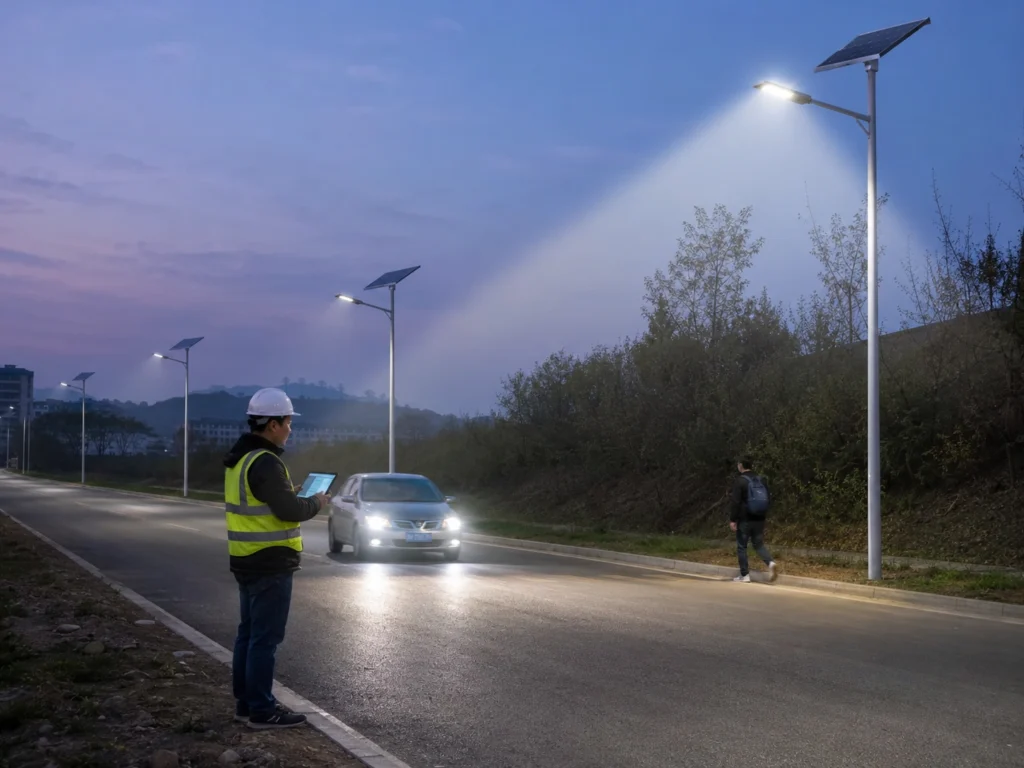
Some solar street lights use PIR sensors, while others use radar or microwave sensors for motion-based dimming. The right choice depends on project conditions.
| Sensor Type | Common Project Use | Review Point |
|---|---|---|
| PIR motion sensing | Pedestrian areas, pathways, low-speed zones, small roads | Works best when detection range, mounting height, and human movement pattern are suitable |
| Radar or microwave sensing | Roads, vehicle movement areas, wider detection scenarios | Can be more sensitive to movement, but false triggering and traffic frequency should be reviewed |
| No motion sensor | Roads requiring stable brightness all night | More predictable, but may consume more battery energy |
| Mixed control | Fixed dimming plus motion boost | Useful when the project needs both energy saving and higher brightness during activity |
For project review, the sensor name alone is not enough. The team should also confirm:
- Mounting height.
- Detection angle.
- Detection distance.
- Delay time after triggering.
- Traffic speed.
- Traffic frequency.
- Risk of false triggering.
- Whether frequent triggering reduces the expected energy saving.
A motion sensor can help save energy on low-traffic roads. On busy roads, the light may be triggered so often that the real energy saving becomes limited.
How Dimming Profiles Affect Rainy-Season Performance
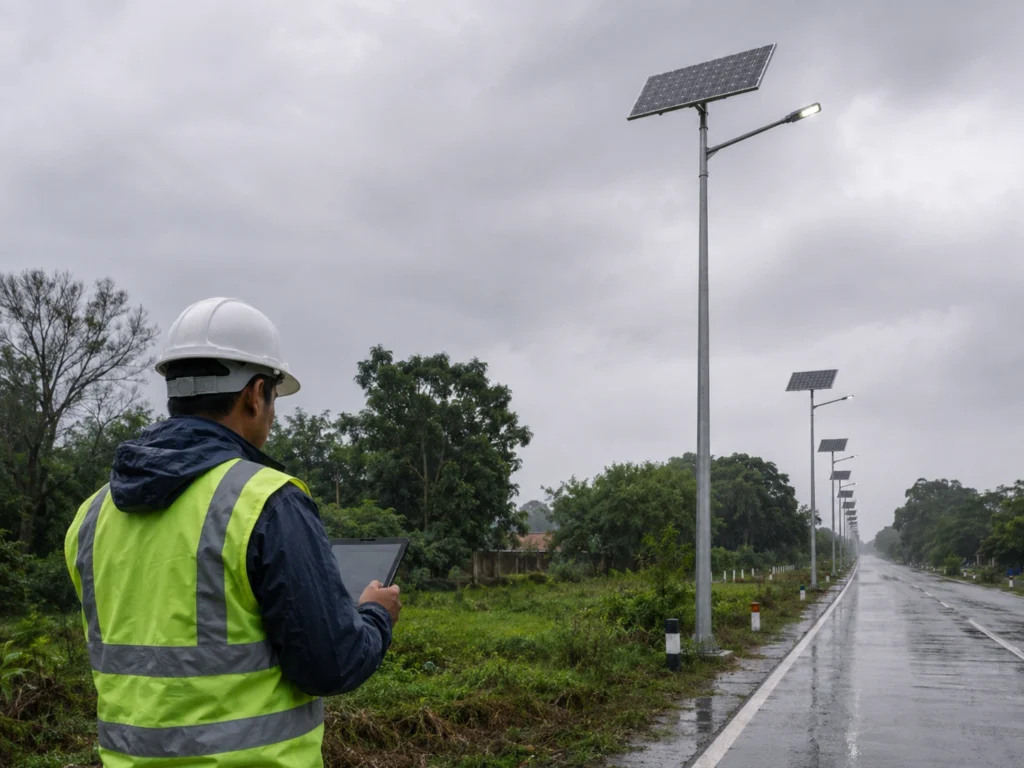
Rainy-season performance is one of the most important reasons to review dimming profiles carefully.
A solar street light may work well during sunny days but fail after several cloudy or rainy days if the battery does not receive enough charging input. If the dimming profile is too aggressive, the system may consume more energy than the battery can support under poor weather conditions.
This problem is common in:
- Tropical regions with long rainy seasons.
- Dusty areas where panels lose charging efficiency.
- Remote roads with limited maintenance access.
- Projects using high brightness for long nightly hours.
- Sites where solar panels are partly shaded.
- Projects where autonomy days were estimated too optimistically.
For many projects, 3 days of autonomy may be used as a starting point. Critical roads, public safety areas, remote sites, or long rainy-season projects may request 5 to 7 days of autonomy. However, higher autonomy normally requires larger battery capacity, larger solar panel input, stronger charging margin, or a more conservative dimming profile.
A well-planned dimming profile can help reduce the risk of early shutdown. But dimming alone cannot fix an undersized system. If the battery, solar panel, LED load, and local weather assumptions are not balanced, the project may still face runtime problems.
For this reason, dimming profile review should be part of battery autonomy calculation, not a last-minute remote control adjustment.
Worked Energy Check: From a Profile to Wh per Night
Use measured or supplier-confirmed battery-side power for each operating stage. A brightness percentage is a control setting; do not assume it is the same percentage of battery power without a verified power curve.
Nightly energy (Wh) = sum of stage power (W) × stage duration (h). Include controller, sensor and standby consumption if those loads are not already included in the measured values.
The following is an illustrative calculation, not an SL-ONE-AF or SL-PRO-JG performance specification:
| Stage | Assumed battery-side power | Duration | Energy |
|---|---|---|---|
| Early evening | 60 W | 4 h | 240 Wh |
| Middle of night | 30 W | 4 h | 120 Wh |
| Late night | 15 W | 4 h | 60 Wh |
| Total | 12 h | 420 Wh |
At an assumed constant 60 W for 12 hours, consumption would be 720 Wh. This example profile reduces the calculated load by 300 Wh, about 42%; actual savings require the real controller power curve and motion-trigger duty cycle.
For an illustrative 12.8 V, 50 Ah battery, nominal energy is 640 Wh. If only 80% is usable under the stated test assumptions, 512 Wh / 420 Wh is about 1.22 equivalent nights without recharge. It does not establish a multi-day autonomy rating. Temperature, ageing, protection thresholds and recharge conditions must be reviewed separately, using compatible battery-side measurements.
Keep a calculation record with the profile revision, measured stage power, hours, sensor boost duration, usable battery-energy basis and recharge scenario. Recheck the photometric requirement at each proposed dimming stage and record the accepted controller settings at commissioning. Power and energy are different quantities; see the U.S. Department of Energy storage overview.
Battery Autonomy Is Not Only Battery Capacity
Battery autonomy means how long the solar street light can operate under the required lighting profile when sunlight is limited.
Many buyers only look at battery capacity, but autonomy depends on several connected factors:
| Factor | Why It Matters |
|---|---|
| LED power and brightness schedule | Controls how much energy is consumed each night |
| Operating hours | Longer nightly operation needs more stored energy |
| Solar panel size | Affects how quickly the battery can recharge |
| Local sunlight conditions | Determines real charging input |
| Rainy or cloudy days | Reduces available solar energy |
| Controller efficiency | Affects charging and discharging performance |
| Battery protection logic | Prevents deep discharge but may turn off the lamp |
| Motion sensor setting | Can save or consume energy depending on traffic pattern |
| Panel shading or dust | Reduces charging performance after installation |
A large battery with a poor dimming profile can still perform badly. A good dimming profile with an undersized solar panel may also fail. The whole system needs to be reviewed together.
For project testing before pole lifting, see Sunlurio’s guide to ground-level test before pole installation. Testing confirms system response, but battery autonomy still needs project-level review.
LiFePO4 Battery Review Notes for Dimming Profile Review
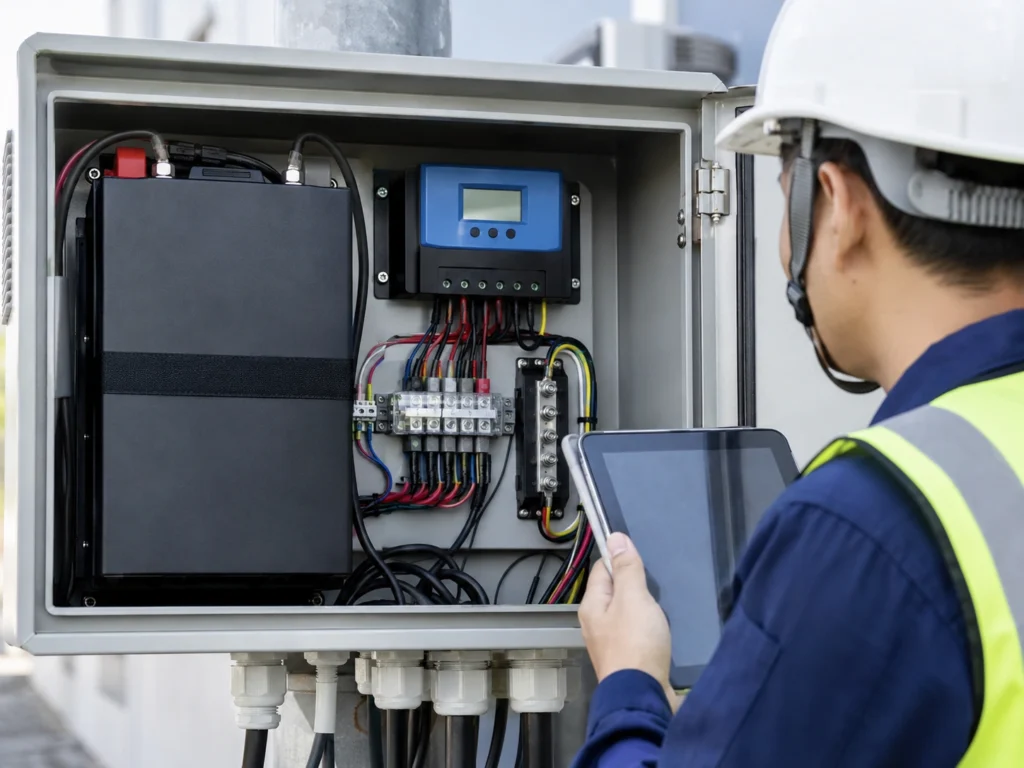
Many project-grade solar street lights use LiFePO4 batteries because they are commonly selected for outdoor solar lighting applications. However, battery chemistry alone does not guarantee good autonomy.
Project teams should still review:
- Actual battery capacity in watt-hours.
- Allowed depth of discharge.
- BMS protection logic.
- High-temperature working conditions.
- Charging input from the solar panel.
- Whether the dimming profile matches the required autonomy days.
- Whether the battery can support the selected brightness schedule during cloudy or rainy periods.
A good LiFePO4 battery can still enter protection early if the dimming profile is too aggressive, the solar panel input is insufficient, or the project requires more autonomy days than the system was designed for.
What Project Buyers Should Confirm Before Production
Dimming profile review should happen before production or shipment, not after all lights are already installed.
Before confirming a solar street lighting order, project buyers should check:
- Required lighting hours per night.
- Expected autonomy days.
- Road or site type.
- Pole height and spacing.
- LED wattage and optical distribution.
- Battery capacity and chemistry.
- Solar panel size and charging condition.
- Fixed dimming schedule or motion sensor logic.
- PIR or radar sensor requirement.
- Whether different zones need different profiles.
- Whether the controller profile will be factory preset.
- Whether installers are allowed to change settings on site.
- How the final settings will be recorded before handover.
For tender or municipal projects, these settings should be aligned with the datasheet, BOQ, installation drawing, and project handover record.
Sunlurio can support project teams with datasheets and installation drawings as well as BOQ and tender document support before installation.
What to Record During Commissioning
A dimming profile is only useful if the final setting is recorded.
For EPC and municipal projects, the commissioning team should not only check whether the lamp turns on. It should also record whether the final controller profile matches the approved project requirement.
A practical dimming profile record may include:
| Record Item | What to Record |
|---|---|
| Project zone | Road section, parking area, campus zone, or industrial area |
| Pole number | Fixture or pole identification |
| Controller profile | Fixed dimming, motion mode, mixed profile, or custom schedule |
| Initial brightness period | First lighting period after dusk |
| Reduced brightness period | Lower-output operating period |
| Sensor type | PIR, radar, microwave, or no sensor |
| Motion sensor setting | Enabled, disabled, delay time, or detection mode |
| Final operating mode | AUTO, scheduled dimming, motion mode, or project profile |
| Battery status | Normal, low, protected, or needs review |
| Night test result | Normal, early shutdown, dim, inconsistent, or abnormal |
| Issue note | Any abnormal behavior |
| Correction status | Corrected, pending, or supplier review required |
This record helps maintenance teams understand whether a problem is caused by product failure, wrong settings, weak charging, frequent motion triggering, or an unsuitable profile.
Common Dimming Profile Mistakes to Avoid
The most common mistake is treating dimming as a simple brightness preference instead of an energy and project performance decision.
1. Using 100% Brightness for Too Many Hours
Full brightness may look impressive during a demonstration, but it increases energy consumption. If the system was not designed for that load, the battery may discharge too quickly.
2. Letting Installers Randomly Adjust DIM Settings
If each installer changes settings independently, different poles may operate differently after handover. This creates inconsistent lighting and difficult troubleshooting.
3. Ignoring Rainy-Season Autonomy
A profile that works during sunny days may fail during cloudy or rainy periods. Autonomy should be reviewed against local weather conditions.
4. Using Motion Mode on the Wrong Road
Motion mode may not save much energy on busy roads where vehicles or pedestrians trigger the sensor frequently. Fixed dimming may be more predictable for some road projects.
5. Not Checking PIR or Radar Triggering Behavior
A motion sensor can save energy only when the triggering pattern matches the site condition. False triggering, poor sensor angle, or continuous traffic can reduce the expected saving.
6. Not Recording Final Settings
If the controller profile is not recorded, the maintenance team may not know whether a lamp is failing or simply operating under a different mode.
7. Assuming the Remote Setting Is the Factory Profile
A remote can change a local setting, but it may not represent the approved factory controller profile. Project teams should confirm which setting is final.
8. Reviewing Brightness Without Checking Battery and Panel
Brightness cannot be reviewed alone. The battery, solar panel, controller, LED output, and local sunlight condition must be checked together.
When a Basic Dimming Profile Is Not Enough
A simple dimming schedule may not be enough for projects with strict performance requirements, multiple lighting zones, consultant approval, or long-term municipal operation.
A more detailed review may be needed when:
- The project requires DIALux or lighting simulation.
- The road has different traffic levels by section.
- The project includes smart control or remote monitoring.
- The site has long rainy seasons or weak solar conditions.
- The project has public road acceptance requirements.
- Different zones require different lighting behavior.
- Maintenance responsibility must be clearly documented.
- The customer requires signed handover records.
- Sensor triggering behavior needs to be reviewed by zone.
- The project requires 5 to 7 days of autonomy.
For road projects that require lighting layout verification, Sunlurio can provide DIALux simulation outputs to support project review.
For projects that need batch control, remote monitoring, or multi-zone management, Sunlurio can also review whether smart street lighting system design is more suitable than handheld remote control only.
Request a Project Dimming Profile Review
Sunlurio can help EPC contractors, municipal project teams, and project distributors review solar street light dimming profiles before production, installation, or handover.
A project dimming profile review can be checked together with:
- Road or site type.
- Pole height and spacing.
- LED wattage and optical requirement.
- Battery capacity and autonomy days.
- Solar panel size and local sunlight condition.
- Controller profile.
- PIR or radar motion sensor logic.
- Dimming schedule.
- DIALux output if required.
- Commissioning and handover records.
To prepare a project-ready dimming profile, the project team can share the project quantity, pole height, road width or site type, required lighting hours, autonomy requirement, preferred control mode, sensor requirement, and handover documentation requirement.
This helps avoid random on-site settings and gives the project team a clearer basis for installation, testing, and final acceptance.
Related Solar Street Light Setup and Troubleshooting Guides
For EPC and municipal teams reviewing solar street light dimming profiles and battery autonomy, these related guides may help connect operating schedules with remote setup, pre-installation testing, rainy-season performance, multi-pole troubleshooting, motion sensor settings, and final handover requirements.
- Basic remote control setup steps
- How to test solar street lights before pole installation
- Why solar street lights stop working after cloudy or rainy days
- Multiple solar street lights failing in one area
- Motion sensor vs timer mode for solar street lights
- Solar street light motion sensor settings
- Solar street lighting acceptance and handover checklist
FAQ
What is a solar street light dimming profile?
A solar street light dimming profile is the programmed brightness schedule used by the controller. It decides when the lamp runs at full brightness, reduced brightness, motion-triggered brightness, or standby brightness during the night.
What is the difference between a dimming profile and a brightness setting?
A brightness setting is a single output level, such as 100% or 50%. A dimming profile is the full schedule that controls brightness across different night periods. For projects, the full profile is more important than one brightness level.
How does a dimming profile affect battery autonomy?
A dimming profile affects battery autonomy by changing how much energy the LED consumes each night. Higher brightness for longer hours uses more battery energy, while a controlled brightness schedule can extend runtime and improve performance during cloudy or rainy periods.
Can solar street lights run at 100% brightness all night?
Yes, but only if the battery, solar panel, controller, and local sunlight conditions are designed to support that load. In many projects, 100% brightness all night reduces battery autonomy and may increase early shutdown risk during cloudy or rainy periods.
What is the best dimming profile for solar street lights?
There is no universal best dimming profile. The right profile depends on road type, traffic level, pole spacing, LED wattage, battery capacity, solar panel size, local weather, sensor behavior, and required lighting hours.
Should solar street lights use PIR or radar motion sensor dimming?
PIR motion sensing may be suitable for pedestrian areas, pathways, and low-speed zones. Radar or microwave sensing may be used for broader movement detection, including vehicle movement areas. The project team should review mounting height, detection range, delay time, traffic speed, and false triggering risk before selecting the sensor mode.
Can remote DIM settings replace a controller profile?
No. Remote DIM settings can help with local testing or small-site adjustment, but project-scale systems should use an approved controller profile. The final profile should be confirmed before installation and recorded before handover.
Why do solar street lights become dim or shut down early?
Possible causes include low battery charge, insufficient solar panel input, aggressive brightness settings, long operating hours, panel shading, rainy weather, wrong controller profile, frequent motion triggering, or low-voltage protection.
What should EPC teams record about dimming profiles?
EPC teams should record project zone, pole number, controller profile, brightness schedule, sensor type, motion sensor setting, final operating mode, battery status, night test result, issue notes, and correction status.