
Read technical guides and engineering white papers, prepare project inputs with checklists and forms, and access approved public files. Model- and project-specific documents require confirmed inputs and engineering review.
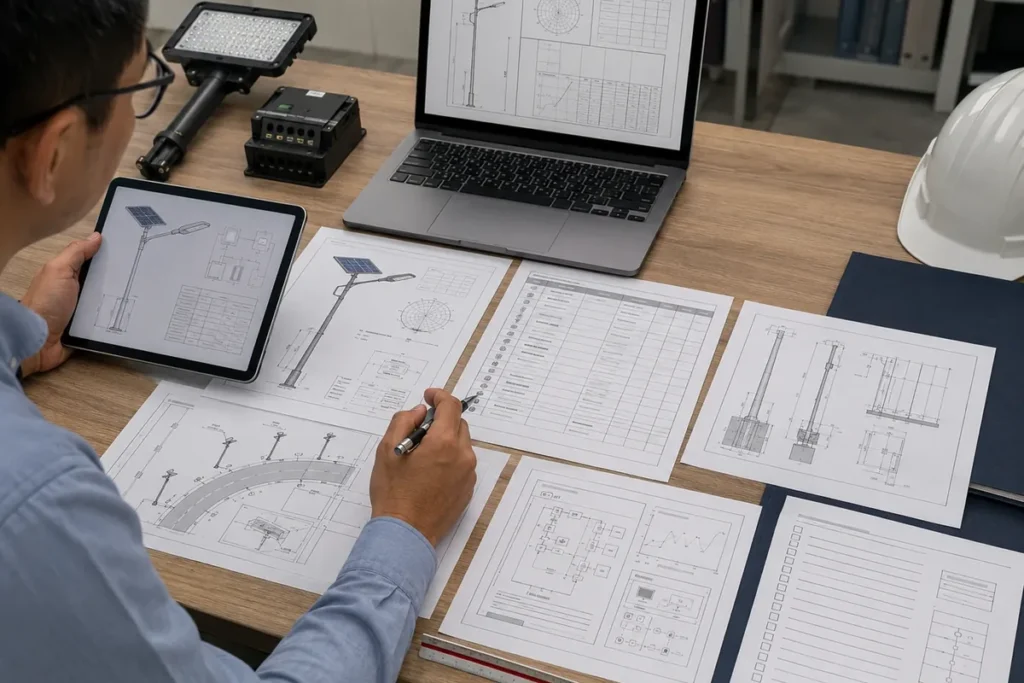
Choose a preparation checklist, record the relevant project inputs, or request matched engineering documents.
Choose technical reading, a project preparation tool, or a controlled document request.
Study engineering principles behind solar, photometric, structural and control-system decisions.
For consultants and project teams reviewing technical assumptions.
Find practical guidance for specification, procurement, installation and maintenance.
Featured Guide: Street Light Pole Foundation Design Guide. Site-specific design requires engineering review.
Organize RFQ, BOQ, tender, lighting and structural inputs before requesting a review.
Use generic preparation tools to identify missing project information.
Download approved checklists, editable input forms and a clearly marked sample datasheet.
Public preparation files do not replace matched engineering documents.
Request matched IES/LDT, simulation outputs, drawings or tender documentation.
Release depends on confirmed scope, model and intended use.
Choose the access level that matches the document and your current project stage.
Each access level shows what you can download now, what becomes available after basic project information, and what requires engineering review.
Generic checklists, input sheets and redacted sample formats that buyers can use before model or project confirmation.
Use for: early RFQ preparation, BOQ gap review, tender planning, simulation inputs, pole/foundation inputs and quotation comparison.
Redacted samples and stage-specific review tools available after you provide your company or organization, work email, country, project type and basic requirement.
Use for: sample BOQ matching, acceptance or inspection planning, selected compliance-document routing and evidence-request preparation.
Model-, project-, BOQ-, drawing-, control- and tender-specific files that must be matched to a confirmed scope and intended use.
Use for: actual IES/LDT, project DIALux, matched datasheets, compliance/deviation review, project drawings, control architecture and full document packs.
Use these verified public files to prepare project, procurement, engineering and tender information. Each document is a generic preparation resource and does not confirm a final product model, engineering result or tender acceptance.
Prepare the minimum project information needed for a preliminary product, engineering, document and quotation review.
Project Review · PDF · Editable DOCX · Layer 1 – Public
Confirm road geometry, pole height and spacing, operating hours, autonomy, climate, structure and required engineering files before requesting a quotation.
Solar RFQ · PDF · Layer 1 – Public
Identify missing scope, conflicting specifications, document gaps and clarification actions before pricing or tender submission.
BOQ Review · PDF · Layer 1 – Public
Pre-review eligibility, technical, photometric, structural, compliance, logistics, installation, acceptance and submission-control documents. Use the online tender checklist to map document revisions and open review items.
Tender Preparation · PDF · Layer 1 – Public
Collect the geometry, criteria, mounting, model, photometric-file and output requirements needed for a preliminary simulation review.
Photometric Input · PDF · Editable XLSX · Layer 1 – Public
Prepare pole geometry, mounted equipment, wind and corrosion exposure, ground conditions, flange, anchor-bolt and drawing inputs for structural coordination.
Structural Input · PDF · Layer 1 – Public
Compare normalized project scope and documented risk instead of judging offers by wattage and unit price alone.
Commercial Review · PDF · Layer 1 – Public
See how a controlled product datasheet may be structured after model confirmation. This public sample contains no model-specific performance claims.
Datasheet Format · PDF · Layer 1 – Public
The following resources can be requested after you provide your company or organization, work email, country, project type and basic requirement. Availability depends on the project stage, intended use and information supplied.
These redacted sample formats show how photometric and simulation outputs are reviewed without exposing project files.
Request after submitting basic project information.
This sample table shows how BOQ lines can be matched to the model, optics, battery or panel scope, and document notes.
Prepared after Sunlurio reviews the BOQ or tender input.
Use this checklist to plan inspection, commissioning, handover records, and owner acceptance.
Request after the project scope and handover stage are known.
Use this checklist to review factory inspection, packaging, labels, shipment readiness, and document control.
Available after project and shipment information is confirmed.
Availability of selected compliance documents depends on the tender requirements and product category.
Selected documents are reviewed against the confirmed tender scope.
Use this structured list to request relevant supplier evidence without asking for confidential project files.
Available on request after basic project information is provided.
Project-specific engineering and tender files are controlled by default. They are prepared or released only after Sunlurio reviews the project scope, product configuration, intended document use and relevant technical inputs.
Model and optics must be confirmed before matched photometric files are released. Project geometry, lighting targets, mounting and maintenance assumptions must be confirmed before a project simulation is treated as relevant. Structural and foundation documents require the applicable loads, wind, site and ground inputs, together with a clear local engineering responsibility boundary.
Submit project inputs first. Sunlurio checks model selection, optical data, BOQ requirements, pole inputs, wiring needs, and tender stage before release.
The Resource Center supports procurement preparation, tender review, engineering requests, and project handover planning without exposing controlled files too early.
Record the country, site, road or area dimensions, pole height, spacing, lighting criteria, operating profile, climate, autonomy target, supply scope and required documents before quotation.
Separate product scope, structural and civil assumptions, document responsibilities, exclusions, deviations and unresolved requirements before pricing.
Define geometry, mounting, target illuminance, uniformity, glare or road class, maintenance factor, model status and required outputs before requesting DIALux, Relux, IES or LDT support.
Capture mounted loads, pole geometry, wind and corrosion conditions, ground information, flange, anchor bolts, grounding and local structural responsibility before drawing review.
Map every requested certificate or test report to the applicable standard, exact product/model scope, validity and tender clause instead of treating certificates as universal.
Maintain a document register covering current revisions, technical files, inspection records, packing and logistics documents, installation information, acceptance records and unresolved actions.
Continue to the right engineering, tender, product, or project support page.
Project document paths, simulation support, and engineering request routing.
Tender checklist, BOQ matching, and document pack boundaries.
Lighting simulation support after road/layout inputs are confirmed.
Photometric file request path after model and optic assumptions are clear.
Datasheet, product drawing, pole/foundation reference and drawing support.
Submit BOQ, drawings, project inputs, or document requirements.
Common questions about public downloads, request-based resources, and engineering-review documents.
Files listed in the Public Project Preparation Downloads section can be downloaded directly. These are generic Layer 1 resources, including project input sheets, checklists, editable forms and sample formats. Project-specific engineering files—such as matched IES/LDT files, DIALux reports, model-specific datasheets, drawings, certificates, BOQ compliance documents and full tender packs—require confirmed project information and engineering review.
Many files depend on the product model, project scope, tender requirements, and intended use. Basic project information helps prevent the wrong or outdated file from being released.
IES/LDT files should match the selected model, optics, CCT, and mounting assumptions. Submit the project details first so Sunlurio can identify the correct file.
Yes. Sunlurio can review the request after receiving the road or site layout, pole height, spacing, target lighting level, and product assumptions.
Yes. Please provide the tender or BOQ file, product scope, quantity assumptions, and intended document use.
No. Pole, foundation, anchor-bolt, and wiring references require engineering review and may depend on local civil responsibilities, wind conditions, and project configuration.
Public and request-based resources can support tender preparation, but final tender documents depend on confirmed project scope and review. Sunlurio does not guarantee tender acceptance or approval.
Send the country and city, project type, BOQ or drawing, pole height and spacing, required nightly operating hours, required documents, known product preferences, tender stage, and deadline where applicable.
Use the public checklist for early preparation, or send your project inputs when you need a model-, engineering- or tender-specific document.
For a faster review, include the country and site, project stage, application, BOQ or specification, available drawings, pole height and spacing, operating requirements, required files and deadline.
WhatsApp us
Share your project location, road width, pole height, spacing, working hours, backup days, and required documents. Our team can help prepare configuration guidance, datasheets, IES/LDT files, DIALux support when applicable, drawings, and BOQ matching notes.